About
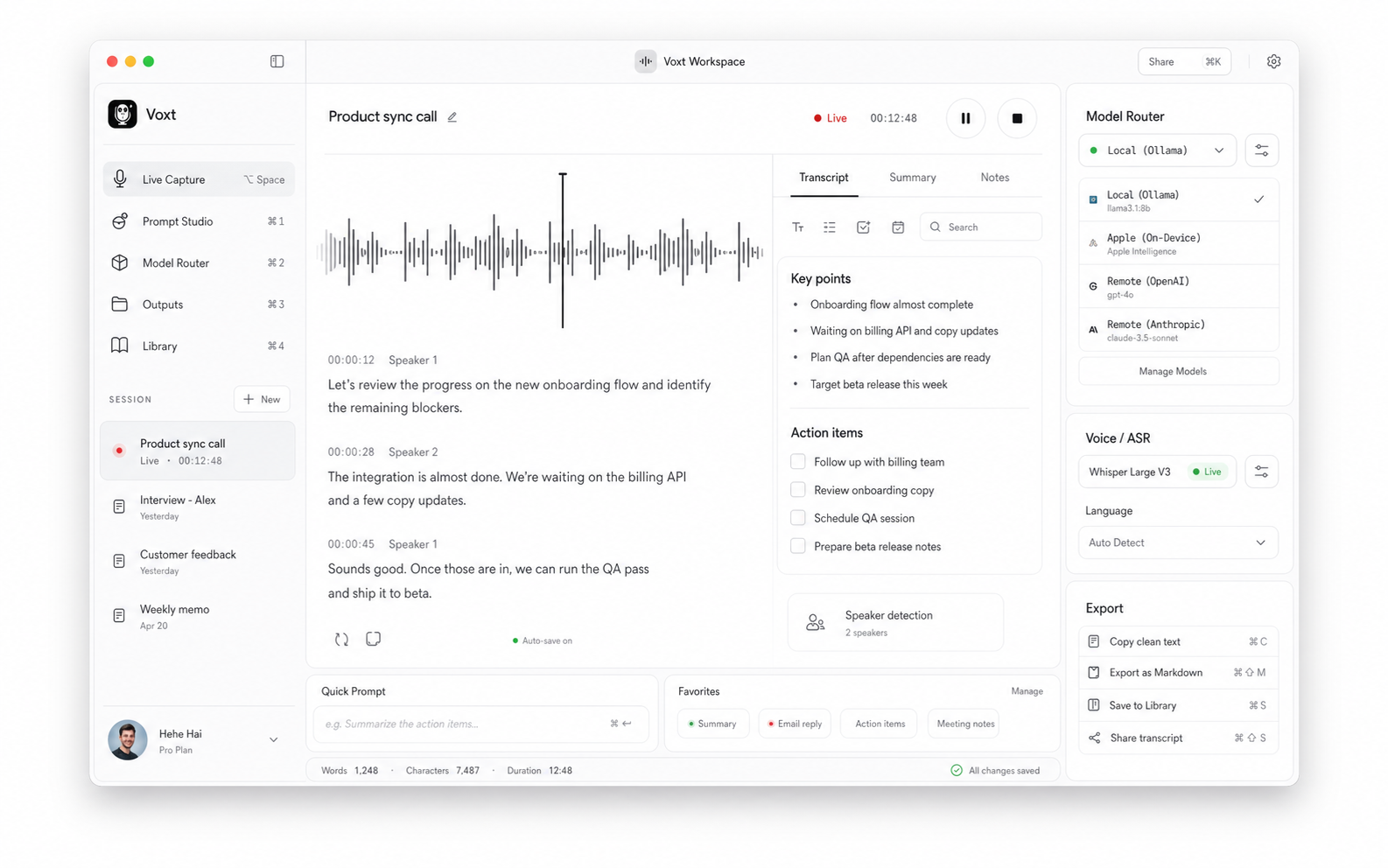
Voxt is a free, local-first macOS menu bar voice input app. Tap a shortcut, talk, and get polished text in the app you are already in—with optional BYOK remote models and App Branch rules that adapt tone by app or URL.
What Voxt does
One tap-to-talk habit covers the jobs people actually do at the keyboard.
Transcription
Tap fn to start and again to finish. Voxt keeps a live preview while you speak, then finishes punctuation, cleans filler, applies App Branch prompts and your personal dictionary, and pastes into the focused field.
Translation
fn + shift can translate after speech, or translate selected text directly—with its own model and terminology rules.
Rewrite and prompt
fn + control turns speech into rewrite, transform, or generation instructions. Keep a result card when no writable field is focused.
App Branch
App Branch applies different cleanup rules, prompts, and formatting by app or URL—so chat, mail, docs, and editors share one entry point.
How it runs
ASR and LLM are separate channels. Stay local, or bring your own keys when you want a stronger remote rewrite.
Pricing
Free to download and use; remote providers billed via your own keys
Local ASR
Qwen3-ASR, Cohere Transcribe, Whisper, Apple System Dictation
Local LLM
Qwen, GLM, Llama, Mistral, Gemma and related Apple Silicon–ready options
Remote ASR
OpenAI Transcribe, Doubao ASR, GLM ASR, Aliyun Bailian ASR
Remote LLM
Claude, Gemini, GPT, Ollama, OpenRouter, Grok, GLM, Qwen, and more
Why it feels like a Mac tool
A few product details that matter for real desktop writing.
Separate ASR and LLM routing
Capture can stay local or low-latency while rewrite and translation route to a stronger model only when you want it.
Dictionary-aware output
Personal dictionary support can inject exact terms and auto-correct high-confidence near matches—useful for names, products, and bilingual jargon.
Local-first, BYOK optional
No Voxt subscription is required to process speech. Keep everything on-device when privacy matters.
Main window
Permissions, model channels, shortcuts, dictionaries, and App Branch settings stay close to the control surface you actually use.